Siirry pääsisältöön

19 viestiä tägattu "MCP"

Model Context Protocol integrations for webforJ apps.

Näytä kaikki tagit

MCP app in plain Java: no Spring Boot required

· 11 minuuttia

Hyyan Abo Fakher
Lead Software Architect

cover image

Not every Java web app runs on Spring Boot, and adding a framework just to put one screen inside an AI chat would be the biggest change in the project. The good news is that you don't have to.

You can build an MCP app in plain Java without Spring Boot. With webforJ, one servlet initializer assembles the MCP server, a routed view becomes the UI the AI opens, and the person clicks through the same live components they'd see in a browser. The code in this post comes from a working plain servlet app built on webforJ 26.02.

Migrate a Java desktop app to the web with AI: a decision guide

· 8 minuuttia
webforJ
Do it all in Java. The full-stack Java framework for business web apps.

cover image

Asking an AI assistant to convert a whole Swing app in one pass sounds fast. In practice you get thousands of lines nobody has reviewed, written against APIs the model half remembers, and a release date that keeps slipping.

There is a better way to migrate a Java desktop app to the web with AI: move it one screen at a time. Some screens are worth rebuilding in webforJ with an assistant connected to the webforJ MCP server. Others keep running as they are, embedded in the web app through WebswingConnector, until their turn comes. Your business logic stays in Java, and users get a web app from the first release.

How to test a Java MCP App without an AI host

· 9 minuuttia
Eric Handtke
Software Developer

cover image

Building a tool for an AI app has an awkward test loop. You change the code, restart, open a chat, and phrase a request so the model decides to call your tool, then hope it passes the arguments you meant. When something looks wrong, you can't tell whether the bug is in your code or in the conversation.

You can test a Java MCP App without an AI host, and skip that loop entirely. A webforJ MCP App is a view that your app's MCP server exposes as a tool. Run the app locally, connect MCPJam to it over HTTP, and call the tool yourself from its Playground. The view renders exactly as a chat client would show it, with no model in between.

Adding an AI Chat Feature to a Java App: A Reference Implementation

· 8 minuuttia
Matthew Hawkins
Software Developer

cover

The request usually lands vague: leadership wants AI in the app. A day of back-and-forth resolves it into something concrete, a chat feature where users can ask questions and get streaming, well-formatted answers grounded in the app's own domain.

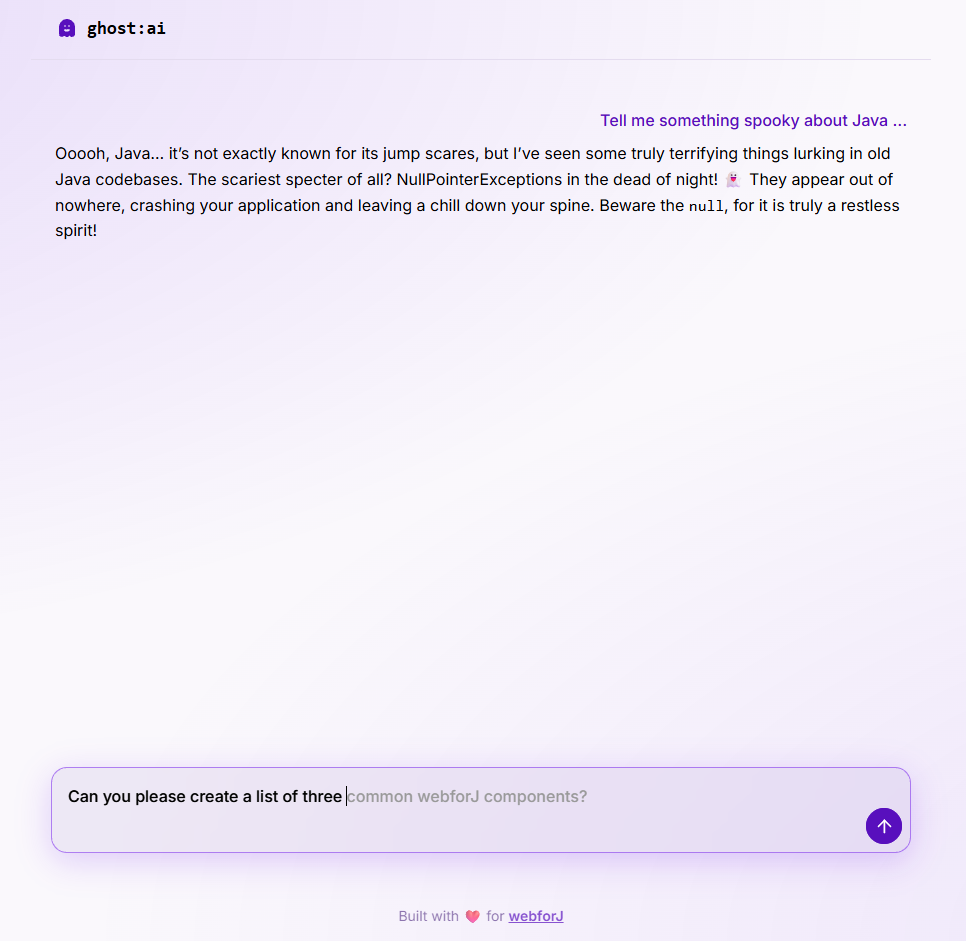
What most tutorials skip is what the feature looks like end to end: the streaming UI, the cancel behavior, the prompt shape, the error surface, and how it all hangs together in a real Java app. This post uses ghost:ai, a small open source reference project in the built-with-webforJ collection, as the running example. Every code snippet is real code from that project.

ghost chat interface

JavaFX to web: move your desktop UI to the browser in Java

· 8 minuuttia
Hyyan Abo Fakher
Lead Software Architect

cover image

Your JavaFX app works. Users like it, the domain logic took years to get right, and now someone wants it in a browser: no installer, no JRE on every laptop, access from a phone, or access from a customer site. Rewriting it in JavaScript would throw away the one thing you have plenty of, which is Java.

JavaFX to web does not need a second language. With webforJ, a full-stack Java framework, you keep Java, keep your services and domain classes, and rebuild the screens as routes and components that render in the browser. Screens move one at a time, so the app stays releasable the whole way.

MCP server for Java developers: webforJ setup guide

· 5 minuuttia
Matthew Hawkins
Software Developer

cover image

Ask an AI assistant for a Java method and it will often hand you one that sounds right and does not exist. An MCP server for Java developers fixes that. The webforJ MCP server lets AI coding assistants look up webforJ documentation, APIs and design tokens while they write code, so the assistant asks the server instead of guessing a method name. You connect it once, and it works with Claude Code, VS Code, Gemini CLI and OpenAI Codex CLI. In this guide you connect Claude Code, check an API answer against the server, and see a prompt for each job the server does.

Which AI coding tool should a Java team pick in 2026?

· 9 minuuttia
webforJ
Do it all in Java. The full-stack Java framework for business web apps.

cover image

Every few weeks a new AI coding tool claims the top spot, and Java teams end up debating Claude Code against Cursor against Copilot. For day-to-day work on a real Java web app, that debate matters less than it seems.

The best AI coding tools for Java developers are the ones that know the framework you build with. Claude Code, Cursor, Gemini CLI and Codex all write competent Java. The bigger gap is between an assistant that guesses at your framework and one that looks it up. With webforJ, one plugin install gives any of them the real docs, project scaffolding, theme generation, and token validation.