Zum Hauptinhalt springen

12 Beiträge markiert mit "Security"

Security in webforJ apps.

Alle Tags anzeigen

What a complete Java web application platform includes

· 8 Min lesen
webforJ
Do it all in Java. The full-stack Java framework for business web apps.

cover image

When a team picks a framework for a business app, the first screen is never the hard part. The hard part is everything that comes after it: navigation, a login, forms that validate, a table that holds real data, a second language, a test suite. A complete Java web app platform answers all of that before you ask. webforJ, the full-stack Java framework, covers it. It is a single framework, in a single language, that ships project setup, routing, a component library, data binding, security, Spring Boot integration, theming, translation, installable apps, and testing.

Because webforJ is a full-stack Java framework, the screens, the rules around them and the services behind them live in one Java codebase and one Maven build, with Spring Boot integration when you have it.

Spring Security role-based UI access: why protecting routes beats hiding elements

· 7 Min lesen
webforJ
Do it all in Java. The full-stack Java framework for business web apps.

cover

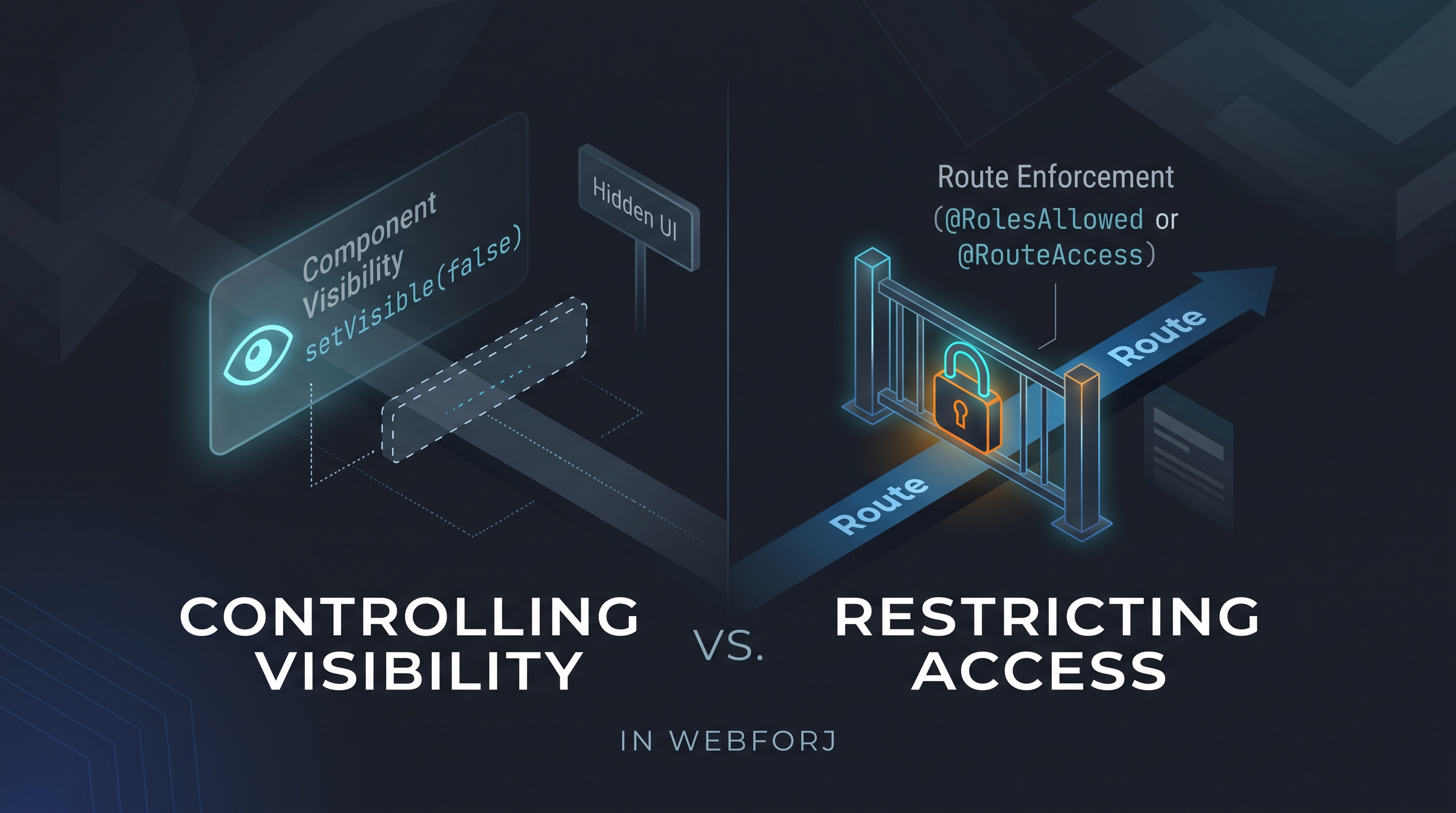
A developer asks: "How do I control which users see which views?" In an app built with webforJ, the first instinct might be to call setVisible(false) on a navigation component based on the current user's role, or to conditionally add layout elements depending on permissions. It's direct and it works for what it does: but what it does is different from what the question was asking.

Controlling visibility and restricting access are different operations. Treating them as equivalent is how unintended access surfaces in production.

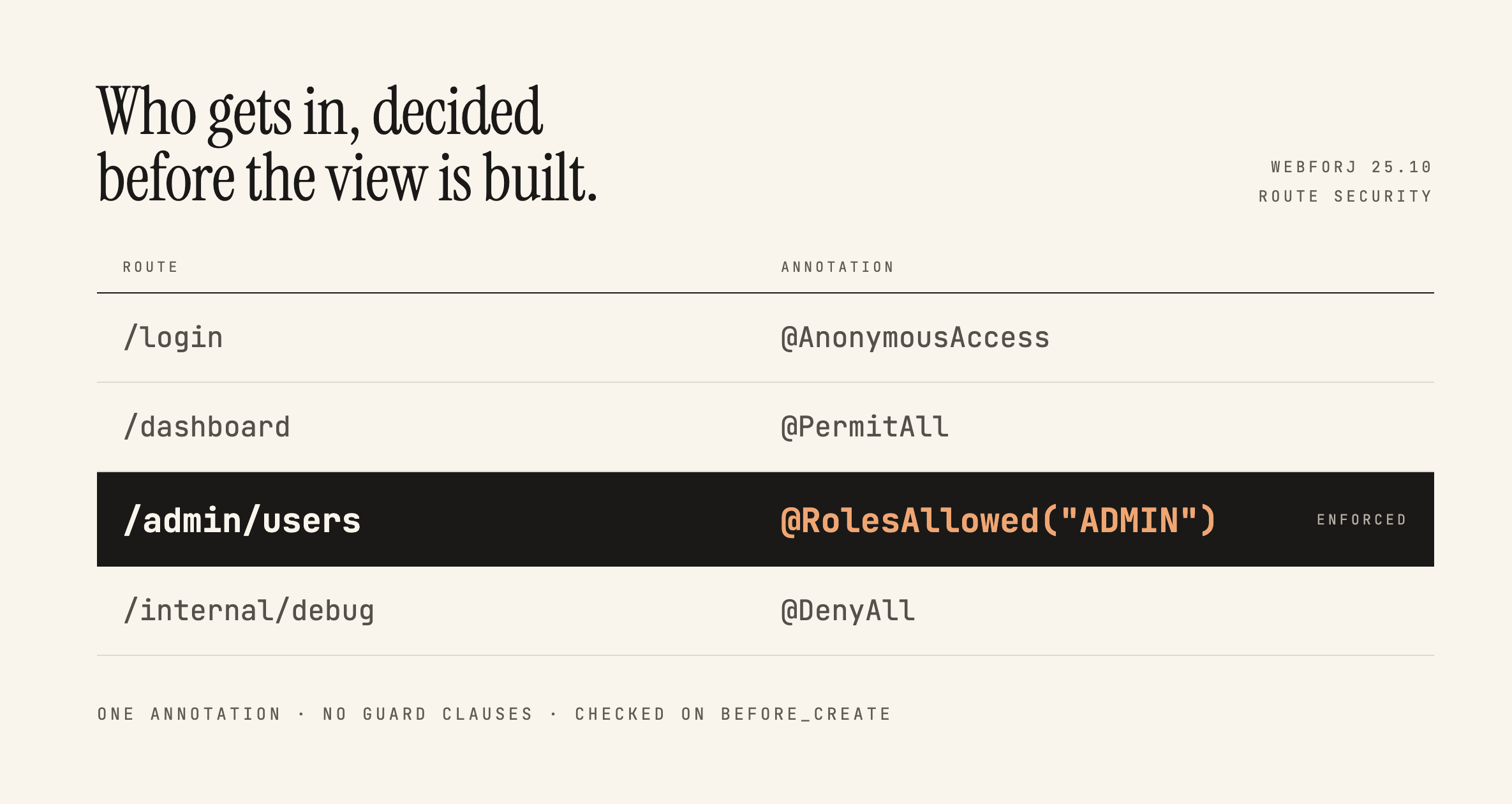
Securing webforJ Routes Before the View Exists

· 7 Min lesen
Lauren Alamo
Software Developer

cover image

Broken access control has sat at the top of the OWASP Top 10 since 2021, and the 2025 list keeps it there. One of OWASP's own example scenarios is an app that keeps all its access control in the front end, where the attacker can't click through to the admin page because the JavaScript won't let them, so they skip the browser and request the URL with curl instead.

Here's a version of that you've probably written:

if (isAdmin) {
Button delete = new Button("Delete user");
delete.onClick(e -> userService.delete(selected));
self.add(delete);
}

Ordinary users don't see the button. That feels like enough, and in a server-driven framework it feels like more than enough, because the business logic is all sitting safely in Java. This post is about what actually protects that handler, what webforJ gives you for free, and where the line between the two falls.

Secure Java web framework for enterprise teams

· 9 Min lesen
webforJ
Do it all in Java. The full-stack Java framework for business web apps.

cover image

When a security review lands on your desk, the first question is usually how much of the app an outsider can reach. A JavaScript front end plus a public REST API gives them a lot to work with. A secure Java web framework for enterprise use starts from the opposite end: keep state, business rules and access decisions on the server, and let the browser only render the interface.

webforJ, the full-stack Java framework, is built that way. Screens, routing, validation and access control are written in Java and run on the server, so you write no separate front-end codebase and no REST endpoints just to feed the UI.

Java UI framework for banking and financial services

· 9 Min lesen
webforJ
Do it all in Java. The full-stack Java framework for business web apps.

cover image

Your operations console, case management tool or onboarding screen will run for ten years or more, handle sensitive records every day, and be maintained by people who have not been hired yet. The framework you pick today has to survive that, and so does the review it will go through.

If you are choosing a Java UI framework for banking and financial services, webforJ, the full-stack Java framework, is a strong candidate for internal and back-office apps. The business logic and the UI state stay on the server, the browser only renders components, routes are protected with Spring Security before a view exists, and your existing Java team and services carry straight over.

Build a Java admin dashboard with webforJ in pure Java

· 8 Min lesen
Eric Handtke
Software Developer

cover image

You can build a Java admin dashboard in webforJ without writing HTML, JavaScript, or a REST layer. AppLayout gives you the header and the collapsible drawer, AppNav gives you the menu, each page is a routed Java class, and Card, Table, and GoogleChart fill the page. Access rules are annotations on the view classes.

This guide walks through the pieces of an admin panel in Java in the order you would build them: the shell, the pages, the widgets, the access rules, and the theme. Every snippet is a class you can drop into a webforJ project.

Java framework for enterprise web applications: a checklist

· 10 Min lesen
webforJ
Do it all in Java. The full-stack Java framework for business web apps.

cover image

Picking a Java framework for a business app is a different decision from picking one for a side project. The app will outlive its first team, pass a security review, sit next to existing Spring services, and get upgraded for years.

If you are shortlisting a Java framework for enterprise web applications, webforJ, the full-stack Java framework, is the one we would put at the top of that list: it lets a team build the whole app in Java, with route security, Spring Boot, data binding, theming and automated upgrades already part of the framework. The checklist below shows the questions to ask and what webforJ answers to each.

Jmix alternative: plain Java and Spring Boot with webforJ

· 10 Min lesen
webforJ
Do it all in Java. The full-stack Java framework for business web apps.

cover image

You are evaluating a business app platform for your next internal tool, or you run on a platform such as CUBA and are planning your next move. Either way the same question shows up in the planning meeting: do we adopt a platform with its own model for entities, screens and tooling, or do we write a normal Spring Boot app and add a UI to it?

If you want a Jmix alternative that stays plain Java, webforJ, the full-stack Java framework, is that choice. You build views in Java that plug into your own Spring Boot app, use your own Spring Data repositories, pick your own security setup, and keep a project layout you could explain to any Spring developer on day one.

Java web front end for a database: browse and edit

· 10 Min lesen
Eric Handtke
Software Developer

cover image

You have a database that has been running for years. The tables are in good shape, a few Java services already read them, and now someone wants a screen where people can browse the rows, search them and fix a value without opening a SQL client.

A Java web front end for a database needs four things: an entity mapped to the table, a repository, a grid, and a form. With webforJ, the full-stack Java framework, you write all of it in Java. Spring Data JPA reads the table, the SpringDataRepository adapter hands it to a webforJ Table, data binding drives the edit form, and route annotations lock the screen down. No separate front-end project, no REST layer in between.

Spring Boot login page: a Java UI with webforJ Login

· 7 Min lesen
Eric Handtke
Software Developer

cover image

Almost every business app starts with the same screen: a username, a password, and a Sign in button. Building it by hand means a dialog, two required fields, an error message and a button that shouldn't be clicked twice, before you've checked a single credential.

A Spring Boot login page with a Java UI takes one component in webforJ. Login brings the dialog, the fields, the checks and the error message, so your code only has to decide whether the credentials are right.

Best practices for Java web application security in webforJ

· 8 Min lesen
webforJ
Do it all in Java. The full-stack Java framework for business web apps.

cover image

Java web app security best practices start with one choice: keep the interface logic on the server. webforJ does exactly that. Your views run in Java, the browser only renders them, and whole classes of attack never get a foothold. What remains is a short list of habits: gate every route, treat input as untrusted, cap uploads and requests, keep secrets out of the repo, and run over HTTPS. This post covers each one for a webforJ app.

Building a Full-Featured Demo with webforJ and Spring Boot

· 8 Min lesen
Eric Handtke
Software Developer

cover image

In my time working with documentation and coding for customers I have built quite the number of demo apps myself, so by now I know what the shortcuts look like. The dataset is always small, with authentication and advanced features "coming soon" or hardcoded in instead of properly implemented. Filtering works fast, because coincidentally there are only five rows to filter. All of that isn't to say those demos are bad, after all they serve their purpose, but I wanted to see how efficiently I could build a demo that doesn't cut corners while still being small and easy to understand.

The webforJ Bookstore is my attempt at that. It's a book inventory manager built on webforJ and Spring Boot with live table filtering, colored genre chips, a data-bound edit drawer, and Spring Security handling who can do what. This post covers the pieces I found most worth writing about.