Convert Swing to web: a Swing to webforJ mapping guide

You know the app is moving to the browser. Now the work gets concrete: every JFrame, layout manager, JTable and JOptionPane needs a counterpart, and every SwingWorker needs a new home. This guide shows how to convert Swing to web one screen at a time with webforJ, the full-stack Java framework. You write each new screen in Java, so services, entities, and validation rules carry over unchanged, and only the code that touches Swing gets rewritten.
Below you get the Swing to webforJ component mapping, before and after code for a real screen, and an order of work that keeps shipping. If you are still choosing between a JavaScript rewrite, Webswing and a rebuild in Java, start with the Java Swing to web migration guide, then come back here for the screen work. While you migrate, Webswing can keep the old app running in the browser next to the new screens.
Install the webforJ AI plugin in Claude Code, GitHub Copilot, Cursor, Gemini CLI or Codex. The MCP server gives your assistant the current webforJ documentation and API, so it writes against the real framework instead of guessing. The Agent Skills walk it through webforJ tasks such as building forms, creating components, and styling. Point it at one Swing screen, ask for the webforJ version that calls the same services, and review the result before you ship it.
Moving a desktop Java app to the web?
Send us a screenshot of one screen and we'll reply with how it moves to webforJ.
Why a Swing to web migration fails as a full rewrite
Java desktop to web projects stall on the same problem. A Swing app that has run for ten years holds business rules that nobody fully remembers. Rewriting it in another language means rediscovering those rules the hard way. Rewriting only the screens in Java means you keep them. Our post on Swing vs JavaFX vs web compares the options for the screens. A JavaFX desktop UI follows a similar path, as moving a JavaFX UI to the browser shows.
Event handlers in Swing mix presentation with calls into services, and table models mix display logic with data access. Migration is mostly the work of separating those concerns, then moving the presentation half to the browser.
webforJ suits this because both sides are plain Java. You don't write a REST layer, a JSON contract, or a separate frontend project. A view is a Java class that calls your existing services directly. For the reasoning behind that choice, see Your Spring Boot app doesn't need a REST API for the UI.
A migration strategy that works screen by screen
Follow this order and each step ships something usable.
- Draw the line around the domain layer. List the classes that don't import
javax.swingorjava.awt. Those stay. Move them into their own module if they aren't already, so both the old and new UI can depend on it. - Find the seams in the UI code. Pick one screen and separate what it displays from what it computes. Anything computed belongs in a service. An
ActionListenerthat runs a query, formats the result and updates three labels becomes a service call plus a few lines of presentation. - Put the old app in the browser. Run it under Webswing and embed it in a webforJ app. Users get web access on day one and you get a shell to migrate into.
- Replace screens in order of pain. Start with screens users complain about or screens that gain the most from being on the web, such as search, dashboards and forms. Leave rarely used admin windows for later.
- Retire the bridge. When the last screen has a webforJ replacement, remove the Webswing connector and the Swing code.
Each replaced screen gets its own route, so users move between old and new screens inside one web app.
A coding assistant can do much of that screen-by-screen work, and it can check its own work too. Ask it for a test with every screen it ports, so each one comes back with a pass or a fail before you review it. That write, check, review cycle is the AI verification loop for Java.
How Swing concepts map to webforJ
Most Swing concepts have a direct counterpart. The table lists the ones you meet first.
| Swing | webforJ | Notes |
|---|---|---|
JFrame | Frame and @Route views | Routed views render into the app frame, so you rarely create one by hand |
JPanel and layout managers | FlexLayout, Div and other containers | FlexLayout replaces BorderLayout, BoxLayout and FlowLayout for most screens |
JTable and TableModel | Table and a Repository | The repository supplies and filters the data |
ActionListener, MouseListener | onClick and other on... listeners | Same idea, registered on the component |
SwingWorker | CompletableFuture and Environment.runLater | Background work, then a safe UI update |
JOptionPane | OptionDialog and ConfirmDialog | Blocking dialogs that return a result |
SwingUtilities.invokeLater | Environment.runLater | Hands UI work to the UI thread |
The sections below show the first five in code.
Frames, panels, and layout managers
A Swing window is a JFrame that you create, size, and show. In webforJ the browser page is the window. Your app provides a frame, and each route renders into it, so a screen becomes a class annotated with @Route. Read Frame and routing for how routes pick their container.
Layout managers collapse into one tool for most screens. FlexLayout arranges children in a row or a column and handles spacing, alignment, and wrapping. You set a direction instead of choosing between several manager classes. The FlexLayout reference covers the full property set.
Tables and data: JTable to Table
A JTable reads from a TableModel that you subclass. A webforJ Table reads from a Repository. For an in-memory list, setItems creates the repository for you. For a database, you pass a repository backed by your data layer, such as the Spring Data adapter. The Repository overview explains the pattern.
Here is a typical Swing customer screen. It builds a table model, a delete button, and a confirmation dialog.
public class CustomerPanel extends JPanel {
  private final CustomerService service = new CustomerService();
  private final DefaultTableModel model =
      new DefaultTableModel(new String[] {"Name", "Company", "Email"}, 0);
  private final JTable table = new JTable(model);
  private final JButton delete = new JButton("Delete");

  public CustomerPanel() {
    setLayout(new BorderLayout(8, 8));
    add(new JScrollPane(table), BorderLayout.CENTER);
    add(delete, BorderLayout.SOUTH);
    reload();

    delete.addActionListener(e -> {
      int row = table.getSelectedRow();
      if (row < 0) {
        return;
      }
      int answer = JOptionPane.showConfirmDialog(this,
          "Delete this customer?", "Delete customer", JOptionPane.YES_NO_OPTION);
      if (answer == JOptionPane.YES_OPTION) {
        service.delete(service.findAll().get(row));
        reload();
      }
    });
  }

  private void reload() {
    model.setRowCount(0);
    for (Customer c : service.findAll()) {
      model.addRow(new Object[] {c.getName(), c.getCompany(), c.getEmail()});
    }
  }
}
The webforJ version uses the same CustomerService. The model class and the manual row copying disappear because columns bind to getters.
package com.example.views;

import com.webforj.component.Composite;
import com.webforj.component.button.Button;
import com.webforj.component.button.ButtonTheme;
import com.webforj.component.layout.flexlayout.FlexDirection;
import com.webforj.component.layout.flexlayout.FlexLayout;
import com.webforj.component.optiondialog.ConfirmDialog;
import com.webforj.component.optiondialog.OptionDialog;
import com.webforj.component.table.Table;
import com.webforj.router.annotation.Route;

@Route("/customers")
public class CustomerListView extends Composite<FlexLayout> {
  private final FlexLayout self = getBoundComponent();
  private final CustomerService service = new CustomerService();
  private final Table<Customer> table = new Table<>();
  private final Button delete = new Button("Delete").setTheme(ButtonTheme.DANGER);

  public CustomerListView() {
    self.setDirection(FlexDirection.COLUMN).setSpacing("1em").setMargin("1em");

    table.addColumn("Name", Customer::getName);
    table.addColumn("Company", Customer::getCompany);
    table.addColumn("Email", Customer::getEmail);
    table.setSelectionMode(Table.SelectionMode.SINGLE);
    table.setItems(service.findAll());

    delete.onClick(e -> {
      if (table.getSelectedItems().isEmpty()) {
        return;
      }
      Customer selected = table.getSelectedItems().get(0);

      ConfirmDialog.Result result = OptionDialog.showConfirmDialog(
          "Delete " + selected.getName() + "?", "Delete customer",
          ConfirmDialog.OptionType.YES_NO, ConfirmDialog.MessageType.QUESTION);

      if (result == ConfirmDialog.Result.YES) {
        service.delete(selected);
        table.setItems(service.findAll());
      }
    });

    self.add(table, delete);
  }
}
The service call is identical, and the confirmation reads like the Swing one because it follows the same pattern.
Listeners and JOptionPane dialogs
Swing developers rely on JOptionPane because it blocks until the user answers. Option dialogs in webforJ work the same way. OptionDialog.showConfirmDialog pauses the handler and returns a ConfirmDialog.Result such as YES or NO. Your code after the call reads top to bottom, with no callback to restructure. Message, input and file dialogs follow the same model.
Components expose onClick, onItemSelect and similar methods, and you pass a lambda. Once the service calls are separated out, the body of an actionPerformed method usually moves over with little change.
SwingWorker to background work
A SwingWorker runs slow work off the event thread and publishes results back. webforJ has the same rule. UI components belong to the UI thread, so background threads must hand updates back through Environment.runLater. The asynchronous updates guide describes the thread model and cancellation.
package com.example.views;

import com.webforj.Environment;
import com.webforj.component.Composite;
import com.webforj.component.button.Button;
import com.webforj.component.layout.flexlayout.FlexDirection;
import com.webforj.component.layout.flexlayout.FlexLayout;
import com.webforj.component.optiondialog.OptionDialog;
import com.webforj.component.progressbar.ProgressBar;
import com.webforj.router.annotation.Route;
import java.util.concurrent.CompletableFuture;

@Route("/report")
public class ReportView extends Composite<FlexLayout> {
  private final FlexLayout self = getBoundComponent();
  private final CustomerService service = new CustomerService();
  private final Button run = new Button("Export report");
  private final ProgressBar progress = new ProgressBar();

  public ReportView() {
    progress.setVisible(false);

    run.onClick(e -> {
      run.setEnabled(false);
      progress.setVisible(true);
      Environment env = Environment.getCurrent();

      CompletableFuture.supplyAsync(service::exportReport).thenAccept(path ->
          Environment.runLater(env, () -> {
            progress.setVisible(false);
            run.setEnabled(true);
            OptionDialog.showMessageDialog("Saved to " + path, "Export finished");
          }));
    });

    self.setDirection(FlexDirection.COLUMN).add(run, progress);
  }
}
The doInBackground body becomes the supplier, and done becomes the Environment.runLater block. Start the background work from an event handler or a view. Threads started there inherit the Environment context and can call runLater, while threads created elsewhere can't.
Run the Swing app in the browser while you migrate
You don't need to wait for the last screen before users get web access. Webswing is a server that runs an unmodified Swing, JavaFX or SWT app and streams its interface to the browser. webforJ includes a WebswingConnector component that embeds that stream inside a webforJ view, so old and new screens live in one app. The Webswing integration docs cover the architecture, and the setup guide walks through installing the server and configuring CORS.
@Route("/legacy")
public class LegacyScreenView extends Composite<Div> {
  private final Div self = getBoundComponent();

  public LegacyScreenView() {
    WebswingConnector connector = new WebswingConnector("http://localhost:8080/myapp/");
    connector.setSize("100%", "600px");

    connector.onAction(event -> {
      if ("select-customer".equals(event.getActionName())) {
        event.getActionData().ifPresent(json -> {
          // open a webforJ form for the selected customer
        });
      }
    });

    self.add(connector);
  }
}
The connector is two-way. The Swing app can send named actions to webforJ, which the example handles with onAction, and webforJ can call back with performAction. That lets you replace one dialog at a time. The old table stays in Swing, and a double click opens a webforJ form instead of the Swing dialog. The modernization tutorial builds this scenario with a customer table, and Webswing and webforJ gives a shorter overview.
A bridge isn't free. Webswing renders on the server and streams to the browser, so each active user session holds a running Swing instance. Treat it as scaffolding that you remove as screens move over.
Which screens to migrate first
Start where the web helps most. Search screens, list and detail views, and reports gain the most from being reachable without an install. Leave screens with custom painting, drag and drop editors, or hardware access for last. Those may keep running under Webswing for a long time, which is a valid outcome.
Frequently asked questions
Can I migrate a Swing app to the web without rewriting the business logic?
Yes. Keep the classes that don't import Swing or AWT and call them from webforJ views. The rewrite is limited to the presentation layer, which is where Swing code lives.
How long does it take to move a Swing app to webforJ?
It depends on screen count and how tangled the UI code is with the logic. Because each screen is its own route, you can ship the first migrated screen on its own and continue at whatever pace the team can sustain.
Do I need Webswing to migrate from Swing to webforJ?
No. Webswing is optional. It helps when you need web access before the rewrite finishes or when some screens can't be rewritten soon. If you can replace the app quickly, you can skip it.
What replaces JTable in webforJ?
The Table component replaces JTable, and a Repository replaces the TableModel. Columns bind to getters on your entity, and the table handles sorting, selection, and large datasets.
What replaces SwingWorker?
Run the slow work on a background thread, for example with CompletableFuture, and call Environment.runLater to update components when it finishes. That keeps all UI changes on the UI thread.
Bouw je iets met webforJ?
Bespreek je project, migratie of de geschiktheid van webforJ met het team.
Verder lezen
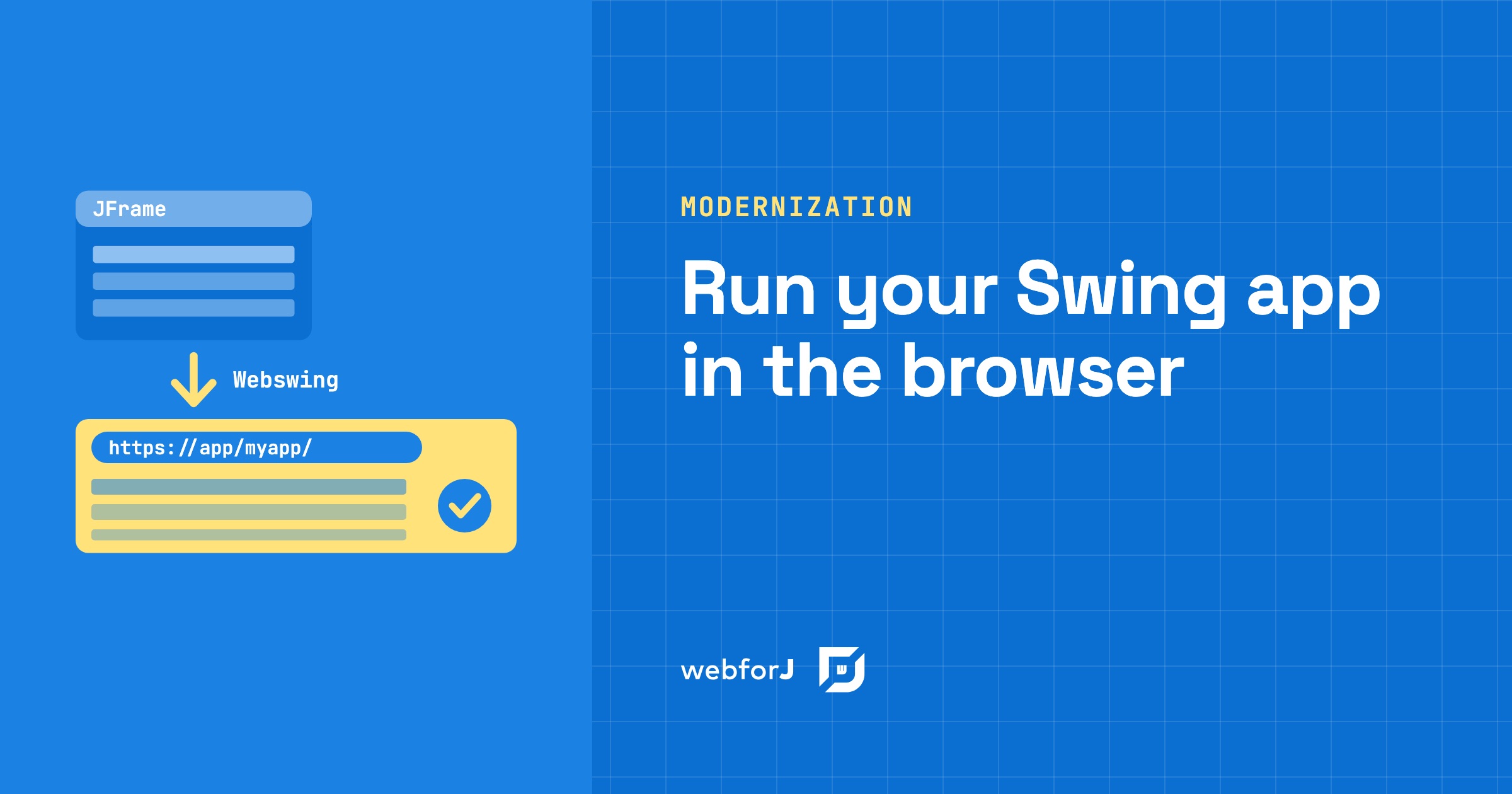 Run a Java Swing Application in the Browser Without a RewriteRun a Java Swing application in the browser without changing its source. Webswing streams it to a tab, and webforJ lets web screens replace it over time.
 Webswing and webforJ: a modernization roadmapTurn a legacy Java desktop app into a web app by using webforJ and Webswing to deploy it to the web and modernize it incrementally.
 Modernize a Java Swing app without JavaScript: JavaOne 2026Watch how to modernize a Java Swing app without JavaScript: run it in the browser with Webswing, then build new screens in Java with webforJ, step by step.